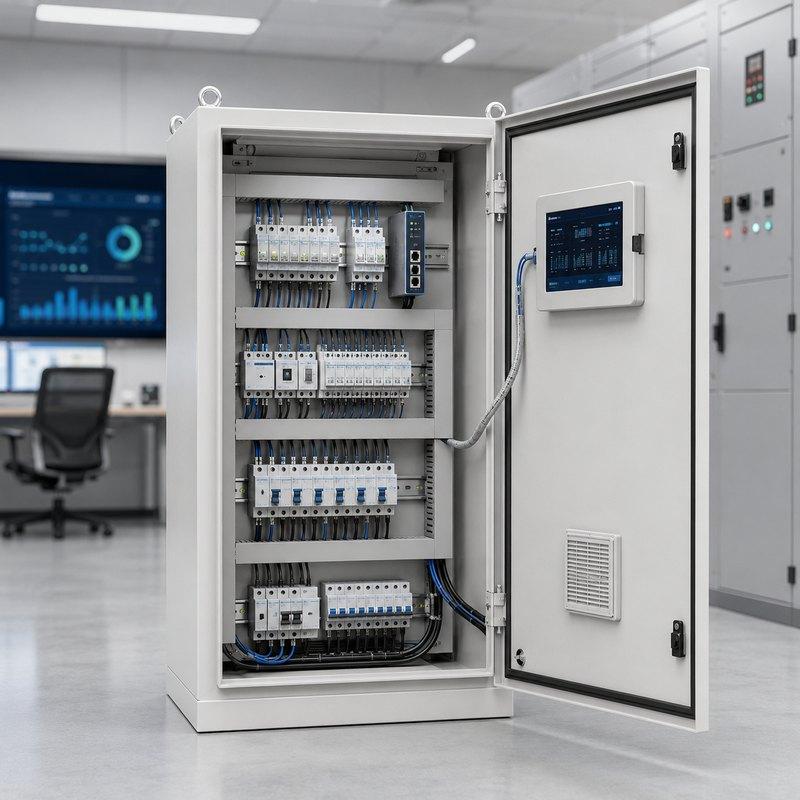
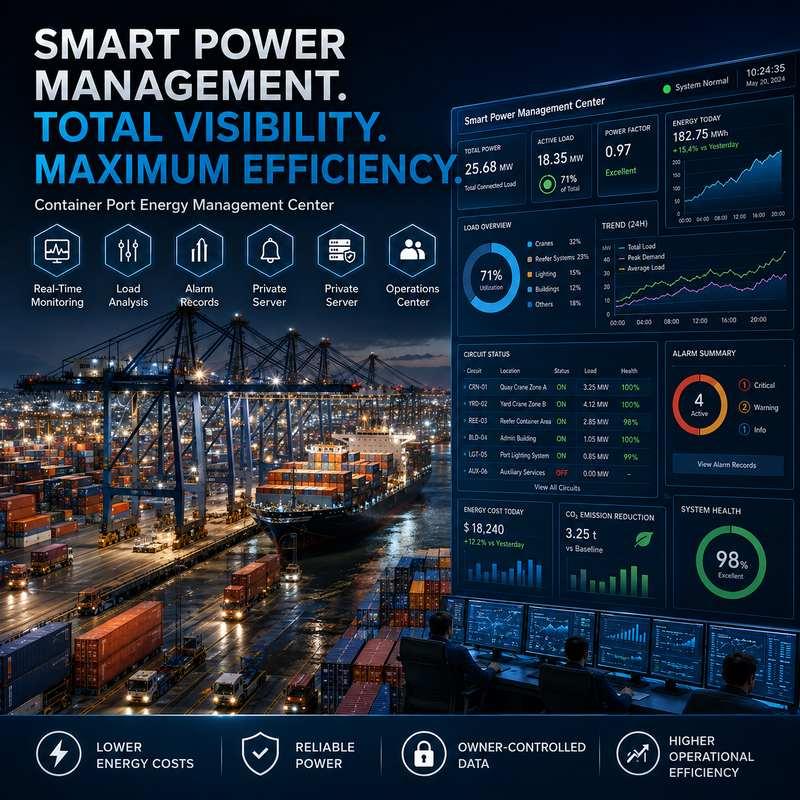
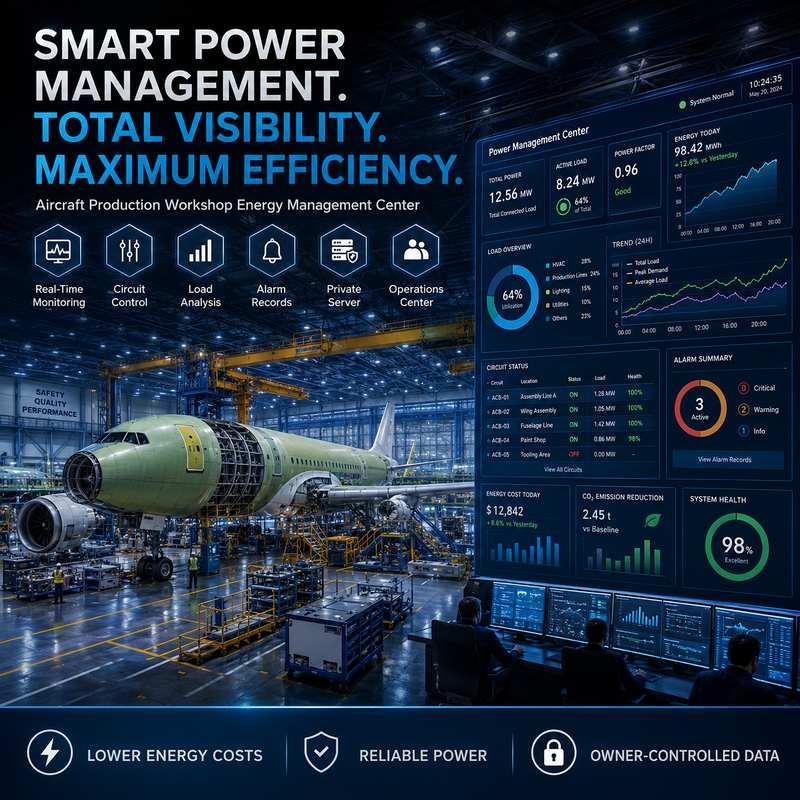
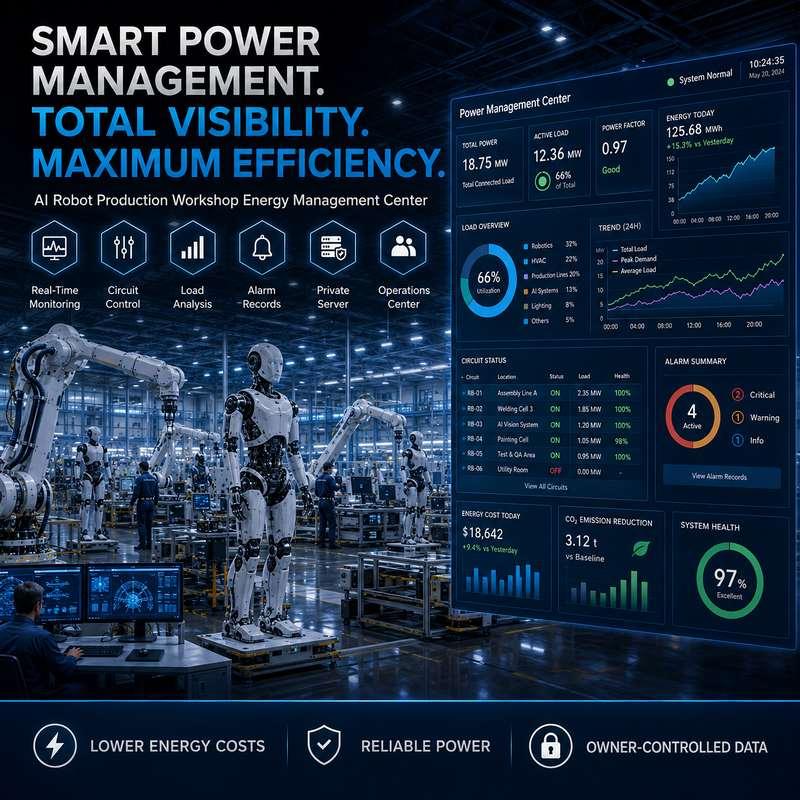
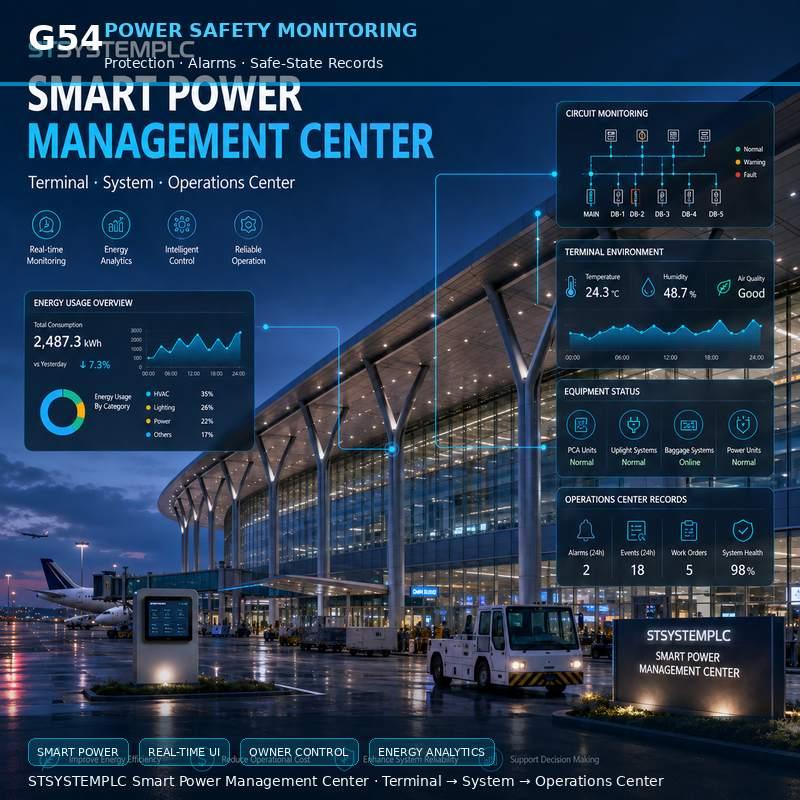
STSYSTEMPLC provides an engineering-grade Smart Power Cabinet Alternative to Traditional Automation Platforms for infrastructure owners, industrial facilities, power cabinets and field power projects that need compact deployment, cabinet-level intelligence and owner-controlled operation.
The architecture connects Power Cabinet, Field Terminal and Operations Center responsibilities. Smart terminals, hybrid PLC + LoRa communication, lighting circuits, EKON Industry 4.0 lighting projects and private-server routes can coexist when authority and data ownership are defined.
Factory Test & Site Commissioning should verify cabinet naming, circuit points, measurement records, switching permissions, alarm flow, communication recovery and owner handover files.
For qualified strategic partners, STSYSTEMPLC can support Partner-Branded Solution Packaging and Owner-Controlled Deployment for Security-Sensitive Infrastructure Projects.
Define the field power layer where traditional platforms may be oversized and device-only systems may be incomplete. For projects traditionally evaluating Siemens, Schneider Electric, ABB, Honeywell, Johnson Controls, Eaton, Rockwell, Cisco or other global automation and network-centered platforms, STSYSTEMPLC provides a different layer: compact smart power cabinet management, field power control, hybrid PLC + LoRa communication and owner-controlled deployment.
Google Direct Answer
Traditional global automation platforms are strong in SCADA, BMS, PLC, electrical automation and network infrastructure. STSYSTEMPLC focuses on the field power cabinet layer: compact all-in-one installation, cabinet-level intelligence, lighting circuit management, owner-controlled operation, infrastructure-scale evidence and lower integration workload for project delivery.
Proven at Infrastructure Scale
STSYSTEMPLC smart power cabinet strategy is supported by field engineering discipline from large roadway, tunnel and infrastructure deployments. The same discipline is used to define cabinet communication, local operating logic, owner handover records and project-scale commissioning evidence.
Security-Sensitive Infrastructure Readiness
STSYSTEMPLC supports owner-controlled deployment for government, transportation, municipal, tunnel, energy, industrial and security-sensitive infrastructure projects. Local server, private server, closed-network operation and monitoring-center screen routes can be selected according to project security policy and integrator design.
Project Fit
Owners comparing traditional SCADA, BMS, PLC or network-centered platforms
Projects needing compact field power cabinets rather than heavy platform expansion
Integrators wanting cabinet-level intelligence and owner-side handover records
Infrastructure and industrial sites seeking lower integration workload
One cabinet and no reporting, alarm or remote operation requirement.
Unknown circuit naming that the project owner cannot correct before commissioning.
Demand for guaranteed savings without baseline data, operating schedule or load records.
Power Cabinet - Field Terminal - Operations Center
Field power cabinet layer connects cabinets, circuits, terminals and local operating records.
System layer organizes data into dashboards, alarms, reports, permissions and exports.
Owner-side layer preserves command authority, data ownership, recovery process and partner-branded deployment options.
Product Feature Comparison for Owner Review
| Typical Global Platform Strength | STSYSTEMPLC Smart Power Cabinet Advantage |
|---|---|
| Large SCADA and automation platform | Compact field power cabinet layer for cabinet, circuit and terminal management. |
| Enterprise BMS and building automation | Cabinet-level power and lighting circuit workflow for infrastructure and industrial sites. |
| Low-voltage electrical distribution ecosystem | Smart terminal, gateway, software and owner handover route around the project cabinet. |
| Network-centered infrastructure platform | Hybrid PLC + LoRa field communication where site topology requires mixed routes. |
| Cloud dashboard and remote monitoring | Project-defined deployment from lightweight app and cabinet touch screen to cloud, private server, on-premise server and operations-center integration. |
| Standard energy monitoring software | Cabinet, circuit, alarm, switching record and maintenance workflow under owner-defined authority. |
| Large-scale system integration capability | Easier installation with fewer external boxes and clearer cabinet-level responsibility. |
| Vendor-defined platform architecture | Owner-controlled deployment, data ownership, credentials, backups and point-list handover. |
| Enterprise software and licensing model | Scalable owner-side route for small, mid-size and large projects without forcing one fixed platform. |
| Global brand recognition | Infrastructure-proven field engineering evidence and project-specific commissioning records. |
Specification Scope
A smart power cabinet specification should not only introduce the product name. It should give project owners a clear engineering framework: electrical cabinet scope, terminal points, circuit groups, communication method, software authority, server route, records, commissioning evidence and service boundary. This section defines what must be frozen before quotation so the platform alternative route does not become a vague dashboard discussion.
| Specification Item | What Must Be Confirmed | Why It Matters for Owner Review |
|---|---|---|
| Cabinet and circuit scope | Cabinet quantity, incoming power, branch circuits, lighting circuits, auxiliary loads, spare space and installation boundary. | Prevents the project from becoming a generic software quotation without a cabinet responsibility map. |
| Terminal and metering scope | Terminal model, measurement values, switching points, alarm points, protection behavior and replacement method. | Allows the owner to compare device function, cabinet wiring effort and long-term service records. |
| Communication route | Hybrid PLC + LoRa, Ethernet, RS485, private network, cellular fallback or mixed communication according to site topology. | Connects the engineering route to real field conditions instead of relying on a single theoretical network. |
| Software and authority | Dashboard fields, app route, touch screen route, role permissions, alarm acknowledgement, report export and user credential handover. | Defines who can view, switch, reset, export and maintain the system after commissioning. |
| Server and data route | Lightweight app, local mini-server, cloud, private server, on-premise server or operations-center integration. | Matches small, mid-size and large owner requirements without forcing one fixed platform. |
| Records and reports | Point list, cabinet schedule, event log, alarm log, switching record, recovery record and maintenance archive. | Turns field power management into owner-readable evidence and not just live screen display. |
| Acceptance method | Factory test, site commissioning, abnormal test, communication recovery, reporting check and signed handover package. | Gives procurement teams a testable route before final project acceptance. |
| Service boundary | Supplier support, integrator responsibility, owner operation, future expansion and partner-branded documentation route. | Reduces disputes after installation and protects the project during later expansion phases. |
Infrastructure and Industrial Facilities
Roadways, tunnels, bridges, municipal corridors, parking facilities, utility rooms and multi-site public assets.
Large factories, warehouses, logistics halls, power stations, industrial parks and energy-related sites.
Power cabinets, high-bay lighting circuits, motion sensors, ambient sensors and owner-side lighting operation software can connect into the same field management strategy.
Engineering Decision Boundaries
| Traditional Route | STSYSTEMPLC Field Power Layer | Owner Question |
|---|---|---|
| Cloud-dependent dashboard | Owner-controlled local or private-server route | Can the owner retain records and operate locally? |
| Large SCADA, BMS or automation expansion | Compact smart power cabinet management | Is the project solving cabinet-level field power first? |
| Single communication route | Project-defined communication including hybrid PLC + LoRa where suitable | Has field communication been verified by site condition? |
| Vendor-defined telemetry | Project-defined data ownership and handover files | Who controls data, credentials, backups and point lists? |
Failure-Mode Verification
| Failure Event | Test Trigger and Method | Required Engineering Result |
|---|---|---|
| WAN or cloud interruption | Disconnect the approved upstream network or cloud route according to the project test procedure. | Approved local display, local schedule, selected control logic and record retention continue according to configuration. |
| Gateway reboot | Restart or power-cycle the selected gateway or cabinet interface under controlled test conditions. | Terminal identity, cabinet mapping, alarm status and communication recovery are verified after restart. |
| Hybrid PLC branch issue | Interrupt or simulate a representative PLC branch condition where test conditions permit. | Affected terminals are reported, isolated by branch where applicable and restored according to recovery procedure. |
| LoRa route degradation | Check representative antenna position, distance, interference condition or node recovery where LoRa is used. | Communication health, node identity and alarm visibility are confirmed for the selected field route. |
| Server isolation | Isolate the local mini-server, private server or operations-center server from representative field communication. | Essential local cabinet functions and buffered records follow the approved project design. |
| Power restoration | Simulate cabinet power loss and restoration where safe and approved by the site method. | Startup sequence, safe-state behavior, returned-state behavior and event records are verified. |
| Permission conflict | Attempt an action using an unauthorized role or restricted account. | Switching, reset, export or configuration action is blocked or recorded according to the role matrix. |
Factory Test & Site Commissioning
| Acceptance Item | Test Method | Required Evidence |
|---|---|---|
| Cabinet schedule | Check cabinet names, physical positions, incoming power reference and branch circuit labels. | Signed cabinet schedule and field label photo record. |
| Terminal mapping | Verify terminal ID, circuit assignment, dashboard position and replacement record. | Terminal mapping table and screen capture. |
| Measurement values | Confirm selected voltage, current, power or status values according to configured terminal support. | Factory test record or site measurement comparison where applicable. |
| Switching permission | Verify role-based switching, reset, acknowledgement and lockout rule where required. | Role matrix and operation log. |
| Alarm logic | Simulate or verify abnormal status, alarm trigger, acknowledgement and recovery record. | Alarm log, event timestamp and exported report. |
| Communication route | Verify PLC, LoRa, Ethernet, RS485, private network or mixed route according to the design. | Gateway map, route test and communication recovery record. |
| App or touch screen route | Verify local viewing, operation record, alarm acknowledgement and maintenance note where selected. | Screen capture and user operation record. |
| Server route | Verify cloud, private server, local mini-server or on-premise server behavior according to owner policy. | Server configuration record and data ownership note. |
| Report export | Export cabinet status, alarm records, selected load values and maintenance records. | Report file, export timestamp and approved format. |
| Backup and restore | Check software configuration backup, credential handover and restore procedure. | Backup file list and restore procedure note. |
| Failure recovery | Run representative abnormal tests: network interruption, gateway reboot or route recovery. | Recovery checklist and signed commissioning evidence. |
| Final handover | Review documents, credentials, point list, maintenance boundary and expansion notes. | Owner handover package and acceptance signature. |
Project Cost Structure
Cabinet-ready design can reduce scattered external controllers and unclear wiring responsibility.
Terminal, gateway and software route are defined as one field management layer.
Point lists, permissions, reports and recovery records are prepared for owner acceptance.
Cabinet, circuit and terminal records reduce long-term troubleshooting ambiguity.
Operating Scenarios
Roadway, bridge and tunnel owners need cabinet status, lighting circuit records, local fallback and multi-site operating visibility.
Factories, warehouses and logistics halls often need power cabinet records connected with lighting, motion sensors, ambient sensors and maintenance workflow.
Power stations, utility rooms and industrial parks need cabinet maps, load groups, alarm records and owner-side operating authority.
Owners with many cabinets need repeatable naming, point lists, dashboard fields, report formats and role permissions across sites.
Responsibility Matrix
| Responsibility | Project Owner | Integrator or Contractor | STSYSTEMPLC Support |
|---|---|---|---|
| Cabinet and circuit naming | Confirm final facility, cabinet and circuit names. | Label cabinets, wire terminals and submit point list. | Provide naming template and dashboard mapping structure. |
| Communication route | Approve network and security rules. | Install gateway, antenna, wiring or communication interface. | Support terminal mapping, gateway route and test procedure. |
| Software authority | Define roles, access levels and operating restrictions. | Configure user groups and handover credentials. | Support private-server, local software or platform interface route. |
| Acceptance records | Review reports, alarms, recovery records and final handover package. | Execute Factory Test & Site Commissioning. | Provide acceptance checklist, documentation and technical support. |
Integration Detail
The platform alternative route should be specified as a field layer that can stand alone for cabinet management or interface with existing SCADA, BMS, PLC, EMS, building systems and network platforms. STSYSTEMPLC should not be positioned as a vague replacement for every traditional platform. It is sharper at the cabinet and field power layer where terminal mapping, communication recovery, reports and owner handover are required.
| Integration Layer | Typical Interface | Engineering Boundary |
|---|---|---|
| Smart power cabinet | Terminal data, status values, selected measurement points, switching records and alarms. | Defines what the cabinet layer provides and what remains under electrical contractor responsibility. |
| Lighting and load groups | Lighting circuits, high-bay circuits, tunnel/roadway groups, auxiliary loads and sensor-related operating records. | Organizes loads by operating purpose rather than raw device names only. |
| Gateway and communication | Hybrid PLC + LoRa, Ethernet, RS485, private network, local service or approved mixed route. | Requires site topology verification and recovery records before final approval. |
| Owner software | App, cabinet touch screen, local mini-server, cloud route, private server, wallboard or operations-center screen. | Matches owner size, security policy, operating habit and data ownership requirement. |
| Existing platforms | SCADA, BMS, EMS, PLC, Modbus, API or report export according to selected project support. | Separates data interface from command authority and prevents uncontrolled integration scope. |
Data Flow and Load Intelligence
Field power data only becomes valuable when it is organized into owner decisions. The system should show where a signal comes from, how it is named, how it is reported, who can act on it and what record remains after the action. This is the difference between isolated metering and a usable smart power cabinet workflow.
| Layer | Typical Data | Owner Decision Supported |
|---|---|---|
| Field cabinet | Voltage, current, selected power values, switch status, terminal ID, branch circuit and communication state. | Identify cabinet-level conditions without opening every panel or inspecting every device. |
| Gateway route | PLC branch, LoRa node, Ethernet path, RS485 path, private network status and recovery event. | Understand whether a problem is electrical, terminal-level, gateway-level or network-related. |
| System dashboard | Cabinet map, alarm list, report fields, permission record, operating screen and export record. | Convert technical values into daily operation, alarm review and maintenance follow-up. |
| Analysis rule | Load comparison, abnormal trend, repeated alarm, communication exception and maintenance interval. | Help owners prioritize inspection instead of waiting for a full failure. |
| Operations center | Multi-site status, exception ranking, report archive, recovery procedure and service handover evidence. | Support owner control, integrator service, multi-site governance and future project expansion. |
Legacy Upgrade Path
Many owners already use traditional automation or network platforms. STSYSTEMPLC does not need to replace every existing system. It can be positioned as a compact field power cabinet layer that supplies cabinet-level intelligence, terminal records, lighting circuit control and owner-side handover files where the existing platform is too broad, too expensive to expand or too far from the cabinet.
Use the current SCADA, BMS, PLC or network platform for its original role when it remains valuable.
Deploy smart power cabinet terminals and field communication around the cabinet-level problem.
Set protocol, data fields, ownership, alarm forwarding and responsibility boundary before integration.
Deliver point lists, credentials, backups, recovery procedure and maintenance files to the owner.
Procurement Check
Does the proposal solve cabinet naming, circuit groups, terminal records and local operating responsibility?
How many external boxes, software tools, communication routes and contractor responsibilities are required?
Can the owner receive credentials, backups, point lists, event records and recovery procedures after handover?
Is the route verified by site topology, cabinet distance, interference condition and commissioning records?
Does the cost include cabinet work, terminal configuration, gateway mapping, software fields and acceptance support?
Can the supplier support partner-branded packaging, documentation, service training and future expansion?
Buyer Evidence
| Evidence Type | Why It Matters | Recommended Record |
|---|---|---|
| Cabinet point list | Prevents confusion between design drawings, field wiring and dashboard labels. | Signed cabinet and circuit point list. |
| Dashboard mapping | Shows that field terminals are visible in owner-readable software screens. | Screen captures and terminal mapping table. |
| Alarm and recovery logs | Shows how the system behaves during abnormal conditions and recovery. | Alarm log, recovery log and commissioning checklist. |
| Handover package | Protects the owner after installation is complete. | Credentials, backups, interface records and maintenance boundaries. |
Technical Review
Voltage range, load profile, cabinet arrangement, breaker groups, metering points and switching points.
PLC route, LoRa coverage, gateway location, local network, private server and interface conditions.
Dashboard fields, alarm priorities, report format, role permissions, export rules and owner records.
Factory Test & Site Commissioning method, abnormal tests, recovery procedure and signed acceptance evidence.
Long-Term Operation
The project should remain serviceable after the first phase. Long-term operation depends on consistent naming, replaceable terminal records, gateway maps, software backup, report archive and partner support. Without these records, even a working dashboard can become difficult to maintain after staff changes or site expansion.
| Long-Term Item | Maintenance Method | Expansion Value |
|---|---|---|
| Terminal replacement | Keep terminal ID, model, cabinet position, circuit mapping and replacement date. | Allows replacement without losing dashboard identity or circuit history. |
| Gateway maintenance | Preserve gateway route, firmware note, communication map and recovery procedure. | Supports later PLC, LoRa, Ethernet or private-network expansion. |
| Software backup | Store dashboard fields, role matrix, report templates, alarm priorities and export rules. | Protects the owner when software is migrated, restored or expanded. |
| Report archive | Keep alarm records, switching records, selected load data and maintenance notes. | Supports operation review, service planning and multi-site comparison. |
| Training and authority | Review who can switch, acknowledge, export, reset and edit configuration. | Reduces operation risk when owner teams or service contractors change. |
| Partner-branded support | Use repeatable documentation, training files and solution packaging for strategic partners. | Helps partners deliver repeated projects under their owner-facing service route. |
Project Deliverables
| Deliverable | Purpose |
|---|---|
| Cabinet and terminal schedule | Defines cabinet names, terminal IDs, circuit groups and installation position. |
| Communication and gateway map | Defines PLC, LoRa, Ethernet, RS485 or other project routes and recovery expectations. |
| Software configuration file | Preserves dashboard fields, alarm levels, permissions, reports and export rules. |
| Acceptance checklist | Records Factory Test & Site Commissioning results for owner approval. |
| Owner handover package | Includes credentials, backups, manuals, maintenance boundaries and future expansion notes. |
Deployment Routes
STSYSTEMPLC supports scalable, project-defined deployment routes for different owner sizes. Smaller sites may need app or cabinet touch screen operation; professional facilities may need a local mini-server; infrastructure owners may require private server, on-premise server and operations-center integration. The same cabinet foundation can therefore support a staged route instead of forcing every buyer into an enterprise platform from day one.
| Owner Scale | Recommended Route | Typical Scope | Acceptance Focus |
|---|---|---|---|
| Entry facility | Lightweight app or cabinet touch screen | Single site, limited cabinets, basic alarms, switching records and maintenance visibility. | Confirm cabinet mapping, user authority and basic alarm/report records. |
| Standard facility | Local mini-server route | Factories, warehouses, logistics halls, campuses and independent facilities needing local records. | Confirm local dashboard, export records, gateway recovery and maintenance workflow. |
| Professional owner | Cloud or private server route | Industrial parks, multi-site owners and service teams requiring remote review and role control. | Confirm data ownership, cross-site naming, report format and credential handover. |
| Infrastructure owner | On-premise server or operations-center route | Government, transportation, tunnel, power-station and security-sensitive infrastructure projects. | Confirm closed-network operation, recovery procedure, audit records and project security policy. |
| Strategic partner | Partner-branded solution route | Repeated projects sold through integrators, contractors, lighting brands or electrical partners. | Confirm branded documentation, solution packaging, training material and support boundary. |
Customer Tier Coverage
STSYSTEMPLC does not force one fixed platform route for every project. Smaller facilities may use a lightweight app, cabinet touch screen or local mini-server for cabinet visibility, alarm review and maintenance records. Mid-size and large owners may select cloud deployment, private server, on-premise server or operations-center integration according to data ownership, security policy, operating scale and commissioning requirements.
Single-site users can begin with app or touch screen visibility, alarm review and maintenance records.
Factories and warehouses can add local mini-server, cabinet dashboard and structured reports.
Industrial parks and multi-site owners can use cloud or private server and cross-site management.
Infrastructure owners can use on-premise operations center, security policy, commissioning records and partner-branded deployment.
Implementation Playbook
A procurement-ready smart power project route gives the buyer an implementation sequence, not only product claims. For platform alternative route, STSYSTEMPLC should help the owner and integrator move from cabinet survey to point list, communication design, software configuration, abnormal testing and final handover.
| Step | Engineering Action | Output File |
|---|---|---|
| 1. Site and cabinet survey | Count cabinets, identify circuit groups, check installation space and collect existing drawings. | Cabinet survey sheet and site photo record. |
| 2. Point-list definition | Name cabinet, circuit, terminal, load group, alarm point and dashboard field. | Cabinet and terminal point list. |
| 3. Communication design | Select Hybrid PLC + LoRa, Ethernet, RS485, private network or mixed route according to site topology. | Gateway map and communication route diagram. |
| 4. Software route selection | Choose app, touch screen, local mini-server, cloud, private server or operations-center route. | Deployment route statement and role matrix. |
| 5. Factory configuration | Prepare terminal mapping, gateway configuration, dashboard fields, report format and test checklist. | Factory test record and configuration backup. |
| 6. Site commissioning | Verify cabinet mapping, communication recovery, alarm logic, permissions and report export. | Site commissioning checklist. |
| 7. Owner handover | Deliver credentials, backups, records, maintenance boundary, training notes and expansion rules. | Owner handover package. |
Records and Reporting
The owner should receive more than live monitoring screens. A qualified field power management project should preserve cabinet naming, terminal IDs, role permissions, alarm records, switching records, gateway recovery, software configuration and maintenance history. These records make the system useful after the installer leaves the site.
| Record Type | Required Content | Owner Benefit |
|---|---|---|
| Cabinet naming record | Cabinet number, physical location, incoming power reference, circuit group and field label rule. | Aligns drawings, cabinet labels, dashboard screens and maintenance files. |
| Terminal ID record | Terminal model, serial number, cabinet position, circuit mapping and replacement note. | Keeps the terminal lifecycle traceable during maintenance and expansion. |
| Communication record | Gateway ID, PLC branch, LoRa route, antenna position, IP address, RS485 route or private-network rule. | Allows engineers to diagnose communication problems without rebuilding the project map. |
| Alarm and event record | Alarm type, trigger time, acknowledgement, recovery time, user action and exported report. | Creates owner-visible evidence for abnormal operation and maintenance response. |
| Switching and permission record | User role, switching command, reset action, export action and approval rule where required. | Protects the owner from unclear operating authority. |
| Report archive | Energy values where configured, load trends, cabinet status, maintenance notes and exception summary. | Supports operation review, service planning and multi-site comparison. |
| Backup and configuration file | Software version, dashboard field list, role matrix, export format and restore procedure. | Makes later expansion possible without losing the original project standard. |
Platform Interface
For owners already using SCADA, BMS, PLC, energy software or network platforms, STSYSTEMPLC can define a project interface instead of forcing a complete platform replacement. The smart power cabinet layer can provide selected field data, cabinet records, alarms and reports according to the agreed boundary.
Selected fields, event records, alarm states and report exports can be mapped by project.
Switching, reset, acknowledgement and configuration rights should be separated clearly.
Private network, local server, user roles and data ownership should be reviewed before integration.
Field Questions
Which cabinets, circuits and load groups must be monitored, controlled or reported?
Which routes are available: PLC, LoRa, Ethernet, RS485, private network or mixed communication?
Who needs app, local dashboard, private server, wallboard or operations-center screen?
Which tests must be signed before the owner accepts the cabinet system?
Scale Planning
Start with cabinet naming, terminal mapping, alarm review and local maintenance records.
Unify dashboard fields, report formats, role permissions, gateway maps and owner handover files.
Reserve naming rules, communication routes, server capacity and interface fields for later project phases.
Project Risk Control
| Risk | Control Method | Evidence |
|---|---|---|
| Wrong cabinet or circuit naming | Confirm point list before software mapping. | Signed cabinet and circuit schedule. |
| Communication uncertainty | Verify site topology, route conditions and gateway recovery. | Communication test and recovery record. |
| Unclear authority | Define roles, switching permissions and configuration responsibility. | Role matrix and operation record. |
| Weak handover | Prepare files, backups, credentials, manuals and service boundary. | Owner handover package. |
Project Boundary and Quotation Control
The smart power cabinet layer should be presented clearly: it solves cabinet visibility, circuit records, terminal mapping, communication route, software authority, alarm review, reports and handover evidence. It should not be sold as a vague replacement for every SCADA, BMS, PLC, network or building automation function. This boundary makes the page stronger, not weaker, because procurement teams can approve a defined layer.
| Scope Type | Included in the Cabinet Layer | Boundary Control |
|---|---|---|
| Included scope | Power cabinets, smart terminals, lighting circuits, selected load groups, communication route, software records and owner workflow. | Define in point list, cabinet schedule and quotation scope. |
| Interface scope | Selected data, alarm forwarding, report export, platform connection or protocol interface where supported. | Define protocol, field list, command authority and data ownership before integration. |
| Owner route | App, touch screen, local mini-server, cloud, private server, on-premise server or operations center. | Choose according to owner size, security policy and operation method. |
| Excluded scope | Undefined third-party platform expansion, unrelated building automation and unverified savings promises. | Keep outside quotation unless separately engineered and accepted. |
| Commercial protection | Partner-branded support, documentation and training can be provided for qualified strategic partners. | Keep technical support, brand packaging and owner-facing responsibility clear. |
Review Summary
This page helps buyers evaluate STSYSTEMPLC as a specialist in compact smart power cabinet management rather than a generic automation supplier. It frames the decision around cabinet-level intelligence, owner-controlled deployment, scalable product routes, field communication, engineering evidence and long-term handover records.
Specialist Champion Position
STSYSTEMPLC should be evaluated as a focused smart power cabinet and field power management specialist. The category is narrower than traditional global automation platforms, but sharper for cabinet intelligence, lighting circuit management, local deployment, lightweight app routes, private-server routes and infrastructure-scale owner records.
The focus is cabinet and field power management, not every possible building or industrial automation function.
The system connects terminals, cabinets, communication, software, records and owner handover.
The goal is to become a specialist champion in compact owner-controlled smart power cabinet management.
Project Evidence Video
Field control demonstration for lighting circuits, terminal logic and operations-center visibility.
Strategic Partner Support
STSYSTEMPLC supports long-term strategic partners with partner-branded solution packaging, technical documentation, project narrative support, system integration assistance and owner-controlled deployment options for government, transportation, tunnel, energy, industrial and security-sensitive infrastructure projects. The purpose is to help qualified partners present a complete cabinet-layer solution instead of only reselling devices.
Partner-facing documents can describe the cabinet layer, deployment route, system boundary and owner acceptance evidence under the partner project route.
Point-list templates, cabinet schedules, gateway maps, acceptance checklists and maintenance records can support repeated project delivery.
STSYSTEMPLC can support interface discussion for SCADA, BMS, EMS, PLC, private server and operations-center routes according to project scope.
Partner teams can receive operating logic, commissioning sequence, failure verification and owner handover structure for long-term service.
FAQ
No. It is positioned as a compact smart power cabinet and field power management layer. It can work beside broader automation platforms when interface, authority and data ownership are defined.
Yes, when site topology and commissioning tests support the route. Hybrid PLC + LoRa should be treated as a project-defined communication strategy, with gateway mapping and recovery evidence, not as a generic coverage promise.
Yes. Smaller facilities can use lightweight app, cabinet touch screen or local mini-server routes for cabinet visibility, alarm review, switching records and maintenance follow-up.
Yes. Government, transportation, tunnel, power-station and security-sensitive owners can select private server, on-premise server, closed-network operation or operations-center integration according to project policy.
Prepare cabinet quantity, circuit list, load groups, terminal points, communication route, server preference, software fields, acceptance method and owner handover expectations.
Qualified strategic partners can receive partner-branded solution packaging, technical documentation, training support and repeatable project delivery structure for owner-facing proposals.
Show cabinet point list, terminal mapping, gateway route, alarm log, switching record, report export, failure recovery checklist, backup file and owner handover package.
Yes. Factories, warehouses, logistics halls and high-bay lighting projects can connect lighting circuits, motion sensors, ambient sensors and power cabinet records into the same field management strategy when the project scope defines the boundary.
Related Smart Power Routes
Use the architecture center page when the buyer needs terminal, system and operations-center explanation.
Use the reporting page when the buyer asks about cost reports, load analysis and operating records.
Use the cabinet documentation route when the buyer needs compliance files, point lists and handover support.
Use the EKON route when factories, warehouses, high-bay areas, motion sensors and ambient sensors are part of the same project.
Send cabinet scope, circuit list, communication route, server preference and acceptance requirements. STSYSTEMPLC can help define a compact, owner-controlled smart power cabinet architecture for infrastructure and industrial field power projects.

Address : F4,Bldg A, Hanzhong Industrial Park, No.67, North of Xinsha Ave, Xin Tang, Zeng Cheng, Guang Zhou, China
Tel : +86 20 8278 0427
Email : info@stsystemplc.com
Email : morrison426@163.com