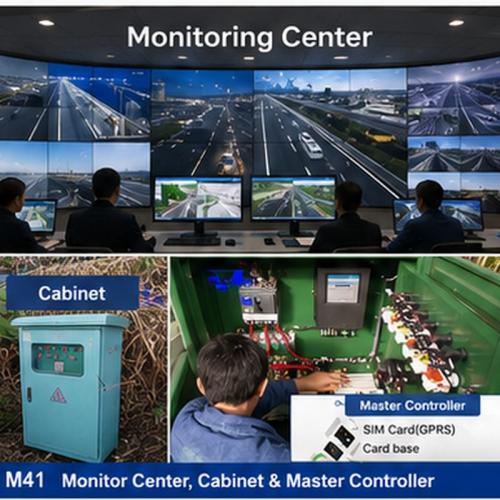
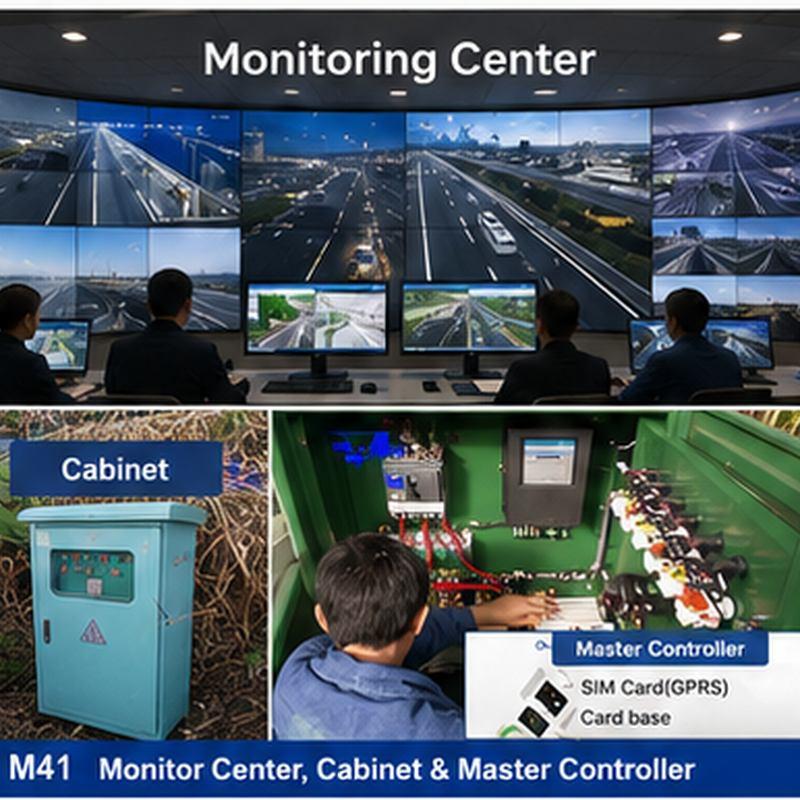
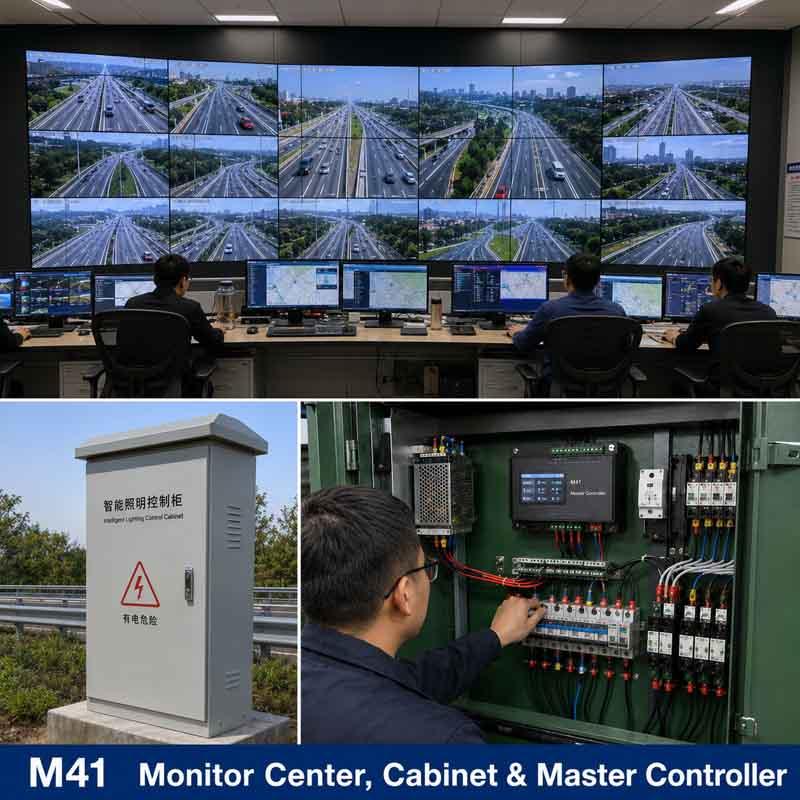
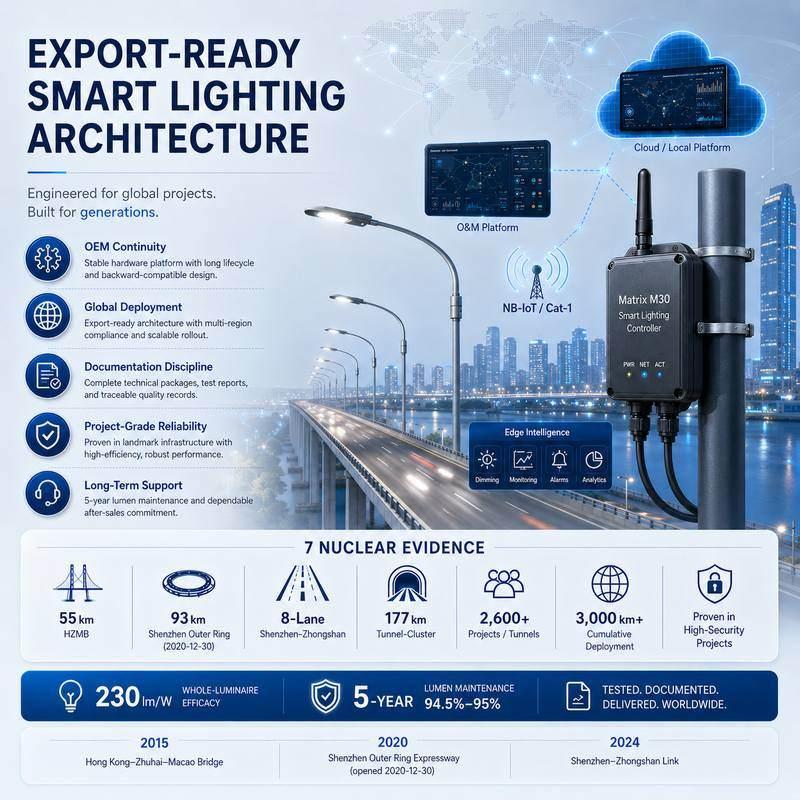

STSYSTEMPLC provides an engineering-grade Smart Power Management Center for facilities that need circuit-level visibility, protection and controlled switching. Smart terminals connect metering and branch control to local software, private server options and monitoring-center operations.
The architecture separates Terminal, System and Operations Center responsibilities. Ekon lightweight control, sensors, office wallboards and external interfaces can coexist when command authority, data ownership and local fallback are defined.
Factory Test & Site Commissioning should verify circuit naming, measurements, switching permissions, event records and server recovery. The owner receives configurations, credentials, backups and long-term maintenance boundaries.
For qualified strategic partners, STSYSTEMPLC can support Partner-Branded Solution Packaging and Owner-Controlled Deployment for Security-Sensitive Infrastructure Projects.
Turn compact smart power terminals into a facility-level power-management system. STSYSTEMPLC combines metering, circuit protection, remote switching, event records, Ekon lightweight control with motion and light sensors, office energy wallboards, private server options and monitoring-center integration for high-value commercial and infrastructure facilities. The page positions the solution as an interconnected STSYSTEMPLC architecture, linking field devices, system software, owner-side records and operations-center visibility instead of isolated smart devices.
Google Direct Answer
An integrated power management system combines smart circuit terminals, metering, protection, remote switching and software dashboards into one deployable facility platform. STSYSTEMPLC positions the terminal series as standard hardware with configurable software, so owners can start from Ekon sensor-based local control or branch-circuit visibility and expand toward office wallboards, multi-screen energy rooms, monitoring centers and server-based operation.
Project Fit
Retail chains needing multi-site energy reports
Airports, campuses and commercial buildings
Facilities needing office wallboard displays
Owners needing app, server or monitoring-center integration
Projects expecting an unmanaged consumer switch
Sites without defined branch-circuit naming
Projects that cannot assign remote-control authority
Architecture and System Boundary
The system boundary is hardware plus software, not a breaker alone. Each terminal measures electrical values, protects the circuit, records important events and communicates through RS485 or project-defined gateways. The software layer can be an Ekon local touchscreen with motion sensors and light sensors, mobile app, 100-inch office wallboard, web dashboard, private server, cloud server or customer-owned monitoring center. This allows one standard terminal family to serve retail chains, airports, buildings, campuses and industrial facilities without rebuilding the electrical architecture from zero.
DIN-rail smart terminals must be mapped to circuit identity, owner authority, platform fields and handover records for Integrated Power Management System.
Branch-circuit metering must be mapped to circuit identity, owner authority, platform fields and handover records for Integrated Power Management System.
Motion and light sensors must be mapped to circuit identity, owner authority, platform fields and handover records for Integrated Power Management System.
Wall or portable touchscreen must be mapped to circuit identity, owner authority, platform fields and handover records for Integrated Power Management System.
Office wallboard displays must be mapped to circuit identity, owner authority, platform fields and handover records for Integrated Power Management System.
Monitoring-center server layer must be mapped to circuit identity, owner authority, platform fields and handover records for Integrated Power Management System.
Parameter and Platform Matrix
| Item | Typical Scope | Buyer Decision |
|---|---|---|
| Terminal formats for Integrated Power Management System | 1P 18 mm, 1P+N/2P 36 mm and 3P+N 72 mm DIN-rail formats | Select pole type, panel space and load duty around platform-wide rollout before software quotation. |
| Current and voltage range for Smart Power Terminal | Typical model ranges include 6-40A, 6-63A and 6-125A with AC230V or AC400V project scope | Match rating to the branch circuit, three-phase equipment or protected single-phase load used in platform-wide rollout. |
| Measured values for Ekon Touchscreen Control | Voltage, current, active power, energy, frequency, power factor and terminal temperature | Convert measured values into the ekon touchscreen control view the owner will actually use. |
| Protection scope for Monitoring Center Server | Overload, instantaneous, overvoltage, undervoltage, overtemperature and model-dependent leakage or phase-loss functions | Define thresholds and response records before monitoring center server is accepted. |
| Communication route for Facility Energy Reports | RS485, Modbus-oriented mapping and project-defined gateways where selected hardware allows | Separate read-only data, writable commands and returned-state confirmation for platform-wide rollout. |
| Software delivery layer for Office Wallboard Display | Ekon starter screen, office wallboard, private server, monitoring center or customer platform for Integrated Power Management System | Choose the software level by customer size, user roles, report depth and office wallboard display policy. |
Century-Scale Infrastructure Translation
| Reference Project | Engineering Lesson | Power-Management Translation |
|---|---|---|
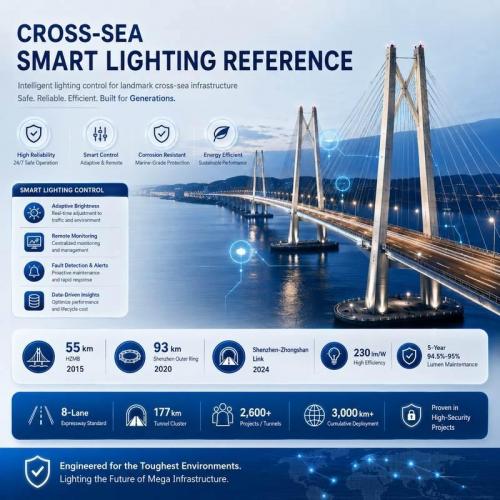
| Hong Kong-Zhuhai-Macao Bridge | Long-span infrastructure needs stable operating records and clear control responsibility. | Use the same discipline for server rooms, monitoring centers and multi-screen energy operations. |
| Shenzhen-Zhongshan Link | Dense corridor projects require separated zones, interfaces and returned field states. | Apply that logic to stores, buildings, airports and campuses under one power-management platform. |
| 2,600+ tunnel projects and 3,000+ km experience | Large portfolios reward repeatable acceptance files and lifecycle service habits. | Package terminal hardware, reports and handover records as a repeatable product system. |
SECURITY-SENSITIVE INFRASTRUCTURE READINESS
STSYSTEMPLC supports owner-controlled deployment for government, transportation, tunnel, municipal, energy and security-sensitive infrastructure projects. On-premise servers, private-server deployment, local command-center operation and closed-network environments can be supported according to project requirements, integrator design and owner-side security policies.
Monitoring and Reports
Voltage and current should remain visible in app, server or owner export records when it affects standard smart power terminals with configurable software and server deployment.
Active power and energy should remain visible in app, server or owner export records when it affects standard smart power terminals with configurable software and server deployment.
Power factor and frequency should remain visible in app, server or owner export records when it affects standard smart power terminals with configurable software and server deployment.
Terminal temperature should remain visible in app, server or owner export records when it affects standard smart power terminals with configurable software and server deployment.
Trip, alarm and switching events should remain visible in app, server or owner export records when it affects standard smart power terminals with configurable software and server deployment.
Deployment Routes
| Route | Engineering Control | Owner Record |
|---|---|---|
| Integrated Power Management System selection | Choose terminal model, current range and protection duty for standard smart power terminals with configurable software and server deployment. | Model matrix and circuit schedule for Integrated Power Management System. |
| Ekon Touchscreen Control configuration | Define dashboard fields, reports, alarms and user roles around ekon touchscreen control. | Configured software fields and account roles for standard smart power terminals with configurable software and server deployment. |
| Monitoring Center Server pilot | Install representative circuits before wider rollout of monitoring center server. | Pilot data, exception list and corrected report template for Monitoring Center Server. |
| Office Wallboard Display handover | Transfer records, interface rules and service workflow for office wallboard display. | Owner export package and maintenance route for standard smart power terminals with configurable software and server deployment. |
Owner Records
Keep circuit naming and load classification in the owner handover file so teams can trace what was configured, accepted and changed after rollout.
Keep ekon sensor and touchscreen configuration in the owner handover file so teams can trace what was configured, accepted and changed after rollout.
Keep private server or monitoring-center deployment in the owner handover file so teams can trace what was configured, accepted and changed after rollout.
Keep monthly energy-report template design in the owner handover file so teams can trace what was configured, accepted and changed after rollout.
Operating Scenarios
| Scenario | Required Behavior | Record to Keep |
|---|---|---|
| Overload or short circuit | Trip or alarm according to accepted settings | Circuit, time, current and event cause |
| Remote command conflict | Respect local mode and authority limits | Command source, result and returned switch state |
| Server unavailable | Keep local protection and retain available records | Last communication time and buffered event status |
| Wrong circuit naming | Pause report approval until circuit identity is corrected | Old name, corrected name and approval note |
Failure and Recovery
| Condition | Required Behavior | Owner-Accessible Record |
|---|---|---|
| Overload or short circuit | Trip or alarm according to accepted settings | Circuit, time, current and event cause |
| Remote command conflict | Respect local mode and authority limits | Command source, result and returned switch state |
| Server unavailable | Keep local protection and retain available records | Last communication time and buffered event status |
| Wrong circuit naming | Pause report approval until circuit identity is corrected | Old name, corrected name and approval note |
Factory Test and Site Commissioning
Factory and site acceptance tests should prove terminal selection, metering values, protection behavior, remote/local control, communication mapping, returned switch state, event records, app or server reporting and owner handover files for standard smart power terminals with configurable software and server deployment.
Data Sovereignty, Cybersecurity & Open Integration
Data sovereignty can be designed around the owner's infrastructure. Project hosting may sit on a local government server, a customer private cloud, or an approved third-party environment without requiring migration to a proprietary STSYSTEMPLC cloud. For integrated power management with smart terminals and monitoring centers, the final hosting and data-residency choice should be recorded in the approved architecture.
Open project interfaces allow the field system to connect with owner-built software, SCADA, BMS or other approved platforms where applicable. Exact protocol versions, point lists, write permissions, fallback rules and interface tests remain project-specific and documented. The interface test should use the actual integrated power management with smart terminals and monitoring centers data and command set. Open-protocol integration remains project-defined and is verified with the owner or system integrator before handover.
The owner can define the cybersecurity controls appropriate to its OT/IT policy, including user authority, remote-maintenance limits, network zones, backup responsibility, audit records and any project-required VPN, private APN or certificate mechanisms. These controls belong in the interface and acceptance documents.
Circuit protection and local/manual breaker functions remain device-side; server availability should not be a prerequisite for basic protective action. Hardware-only supply is possible, while STSYSTEMPLC can support interface mapping, server integration and joint commissioning with the owner's software team.
Technical Boundaries
| Boundary | Project Condition | Control Rule |
|---|---|---|
| Integrated Power Management System hardware boundary | Terminal rating, pole type and protection functions must match standard smart power terminals with configurable software and server deployment. | Integrated Power Management System should stay tied to selected load type, market rule and cabinet condition. |
| Ekon Touchscreen Control software boundary | Reports require circuit names, load groups, account roles and a server policy for ekon touchscreen control. | Ekon Touchscreen Control must convert measured values into owner decisions, not just raw data screens. |
| Monitoring Center Server control boundary | Remote commands require user authority, local mode and returned-state confirmation for monitoring center server. | Do not allow uncontrolled switching in high-value facilities. |
| Office Wallboard Display integration boundary | External platforms need agreed data fields, command permissions and acceptance tests for office wallboard display. | Do not treat integration as a generic plug-in promise. |
Value-Added Engineering Service
STSYSTEMPLC turns circuit naming and load classification into a deployable work package for Integrated Power Management System, linking product selection with software screens, reports and service responsibility.
STSYSTEMPLC turns ekon sensor and touchscreen configuration into a deployable work package for Integrated Power Management System, linking product selection with software screens, reports and service responsibility.
STSYSTEMPLC turns private server or monitoring-center deployment into a deployable work package for Integrated Power Management System, linking product selection with software screens, reports and service responsibility.
STSYSTEMPLC turns monthly energy-report template design into a deployable work package for Integrated Power Management System, linking product selection with software screens, reports and service responsibility.
Engineering Background
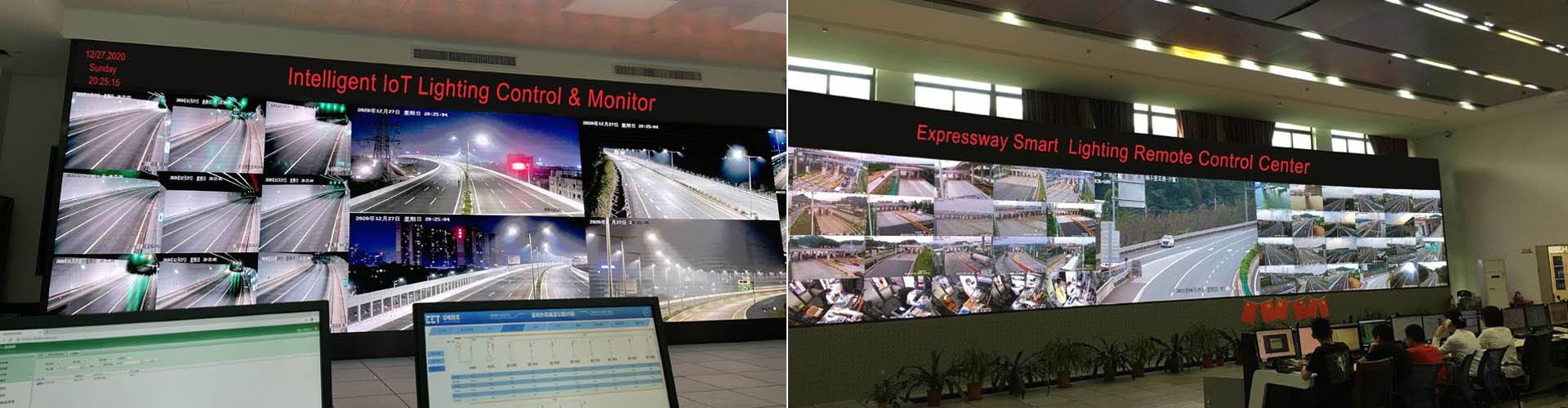
STSYSTEMPLC approaches power management as an infrastructure system, not a loose device bundle. Experience from large bridge, tunnel and highway projects, including Hong Kong-Zhuhai-Macao Bridge, Shenzhen-Zhongshan Link and Shenzhen Outer Ring Expressway, supports disciplined hardware selection, platform records, server boundaries and long-term service responsibility.
FAQ
For standard smart power terminals with configurable software and server deployment, the value is the project package: compact terminal hardware, measured electrical states, protection behavior, service records and software views built around Integrated Power Management System.
Yes. STSYSTEMPLC can configure app views, web dashboards, private servers, report fields or customer-platform connections around ekon touchscreen control and the owner's workflow.
The project should keep standard terminal hardware while configuring software fields, reports, permissions and application packages for Integrated Power Management System.
No. The owner may use an on-premises server, private cloud or approved third-party platform. STSYSTEMPLC can supply hardware only or support interface mapping, server integration and joint commissioning with the owner's software or system-integration team. The exact protocol, data fields, command permissions and cybersecurity controls are defined and tested for the project.
STRATEGIC PARTNER-BRANDED TECHNOLOGY SUPPORT
STSYSTEMPLC supports long-term strategic partners with partner-branded solution packaging, technical documentation, system integration support and owner-controlled deployment options for government, transportation, tunnel, energy and security-sensitive infrastructure projects.
Send circuit type, current range, panel space, reporting goal, remote-control requirement, app or server preference and integration target.





Address : F4,Bldg A, Hanzhong Industrial Park, No.67, North of Xinsha Ave, Xin Tang, Zeng Cheng, Guang Zhou, China
Tel : +86 20 8278 0427
Email : info@stsystemplc.com
Email : morrison426@163.com